How to Install Hotkey Profiles from Pro Players
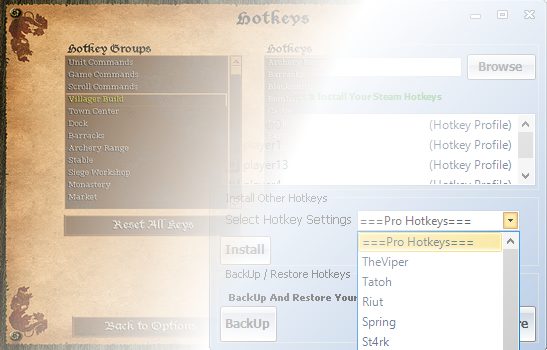
Interested in using hotkey profiles from professional players such as TheViper, Tatoh, Riut, Cloud, St4rk, Spring etc.?
I have compiled hotkey profiles for 6 pro players for you to download from here: HotkeyProfiles_AoE2.zip
If you would like to download other hotkey profiles from other players you can visit this website to download them: https://aokhotkeys.appspot.com/
How to Install a Hotkey Profile?
Installing Hotkeys on Steam Platform
Step 1: Open “HotkeyProfiles_AoE2.zip” previously downloaded then Launch Steam Client.
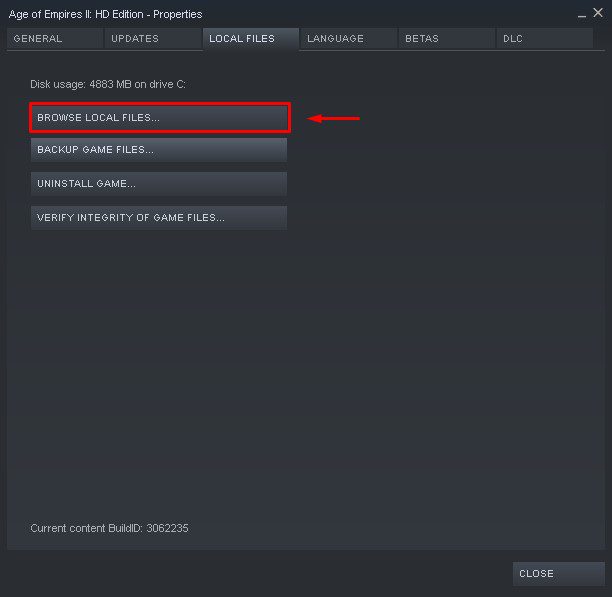
Step 2: Goto Games Library then right press Age of Empires 2 HD > Properties > Local Files > Press Browse Local Files
Step 3: The installation folder of Age of Empires 2 HD should show up. Now Enter “Profiles” folder.
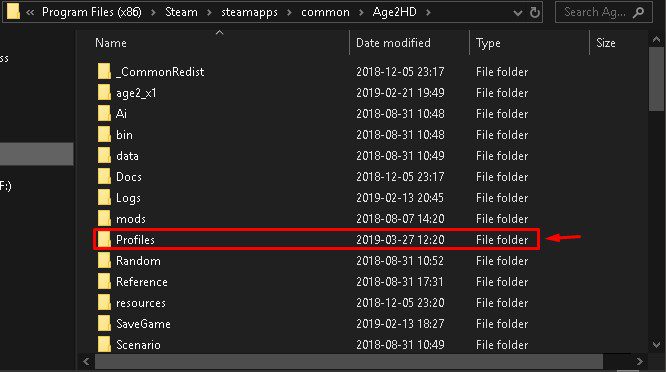
Situation 1: If you only see “player0.hki” in there, all you have to do is extract “player0.hki” from any player in “HotkeyProfiles_AoE2.zip” then replace the one inside your “Profiles” folder. Done!
Situation 2: If you see many player profiles such as (player0.hki, player1.hki, player4.hki, player13.hki) – simply sort files by “Date modified”
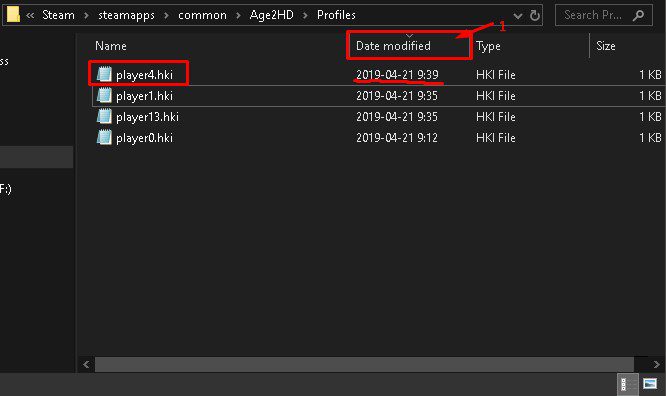
From the example above it’s obvious that “player4.hki” is the one that needs to be replaced and to do that extract “player0.hki” from “HotkeyProfiles_AoE2.zip” to your desktop and rename it “player4.hki”. Now copy and paste it to “Profiles” folder then replace the existing one. Done.
Installing Hotkeys on Voobly Platform
It’s way easier to install hotkeys for Voobly thanks to AoE2Tools. In fact, you DO NOT need to download “HotkeyProfiles_AoE2.zip” because they are already included within AoE2Tools.
Situation 1: If you already happen to use AoE2Tools to setup Voobly well the good news is that you can just fire up AoE2Tools from your desktop then press Hotkeys and do this
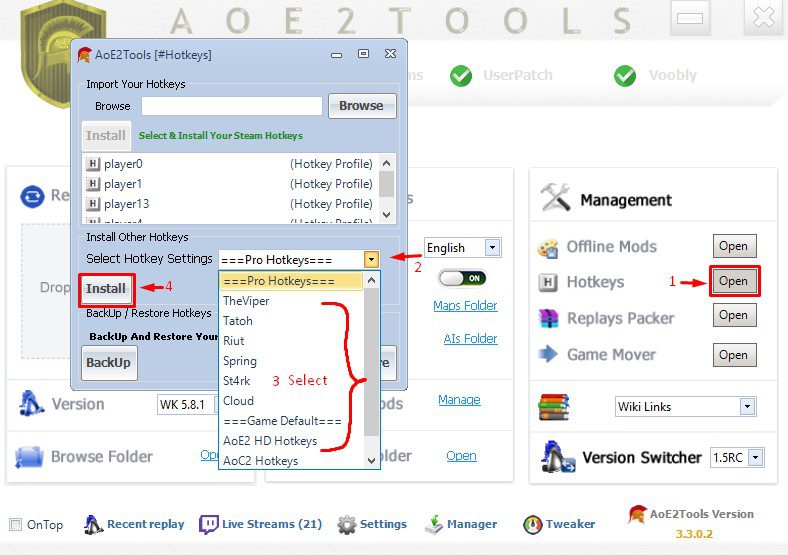
Situation 2: In case you set up Voobly without AoE2Tools, it is still an easy task for you.
-First, download and install the latest version of AoE2Tools from here: https://github.com/gregstein/AoE2Tools/releases
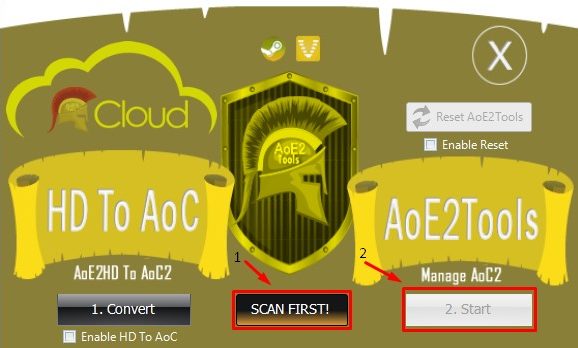
-Run a scan and click Start:
Scroll back to “Situation 1” and follow the illustration instruction to install the hotkeys.